1. Upload image
Click Upload Image or drag and drop a JPG or JEPG file into the upload area.

Upload a photo and get transparent PNG in one touch. Remove backgrounds from 5 images a day for free.
Ctrl + V to paste image
No image? Try one of these
Remove the background from any picture in 3 quick steps. Open the background remover and follow these steps
Click Upload Image or drag and drop a JPG or JEPG file into the upload area.
AI removes the background in seconds. Here you can keep it transparent, pick a color or upload your own backdrop.
Make any further adjustments if needed, then download your images as a tranparent PNG.
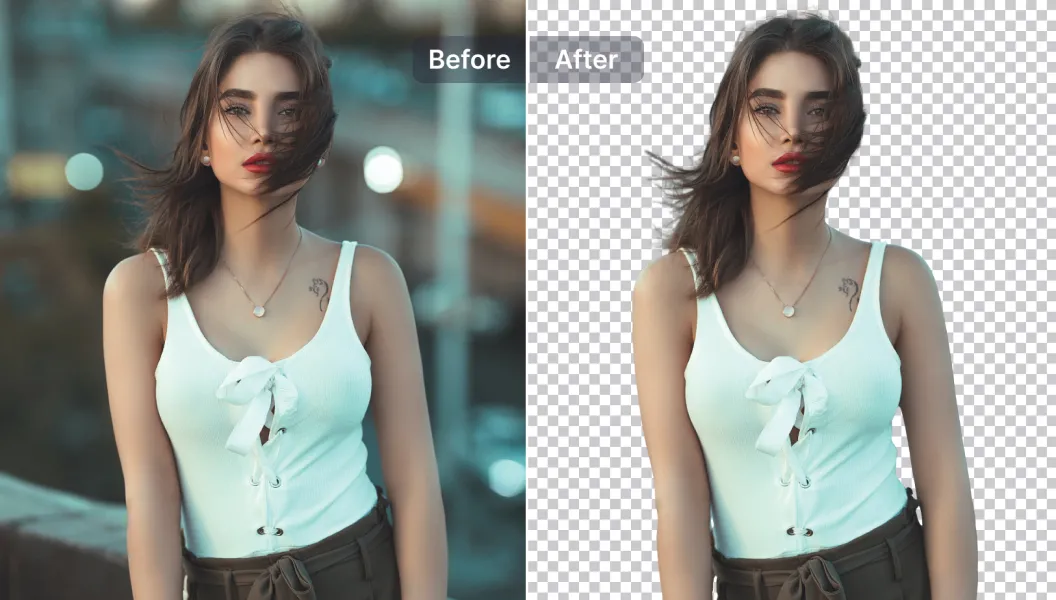
Hair is the hardest part of any cutout. SnapEdit's AI background eraser keeps flyaway strands and fine details intact. Turn a selfie into a clean profile picture or add a blue background for ID photos.
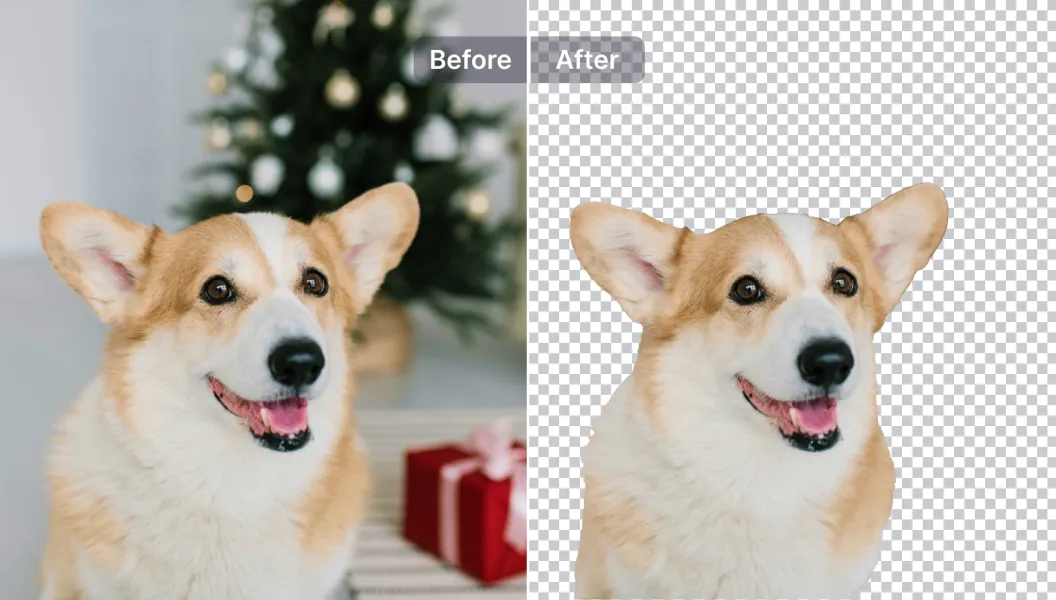
Even a busy holiday scene comes off cleanly, with soft fur edges kept natural. Cut out your subject as a transparent PNG for stickers, social posts or Canva designs, or create a new scene with the AI background generator.
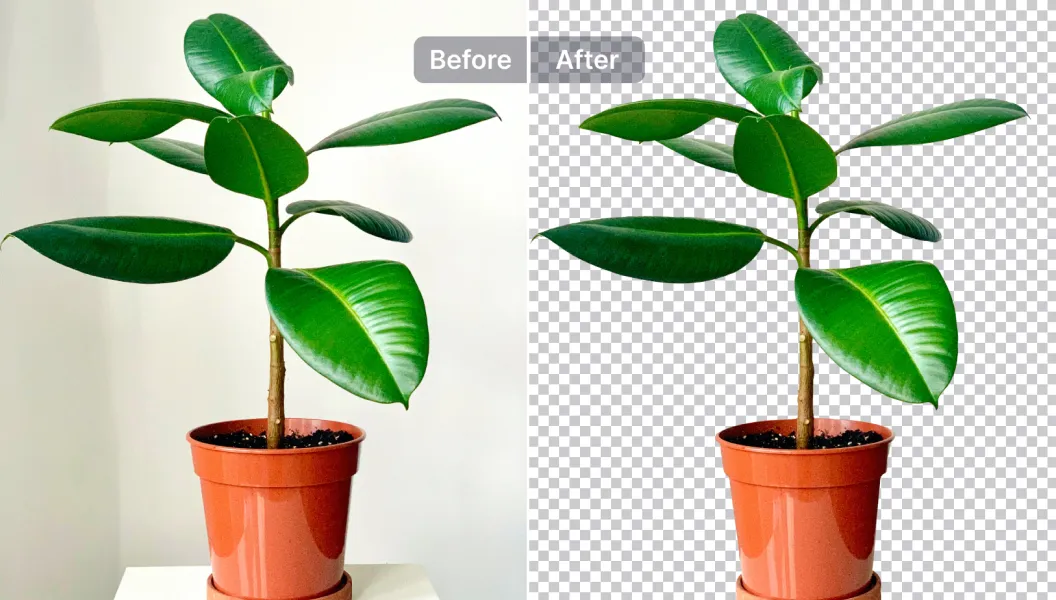
Even a cluttered holiday scene comes off cleanly, with soft edges like fur kept natural. Cut out your subject as a transparent PNG for stickers, Instagram posts or Canva designs, change the background to any color, or upload your own photo as the new backdrop. Need a whole new scene? Create one with the AI background generator.
Free Download HD
Download transparent PNGs up to 1280px for free, with no watermark. You get the full cutout, not a small preview.
Free Images Every Day
Remove backgrounds from 5 images a day without an account. Sign up and check in with Daily Rewards to earn up to 25 credits a day, enough for 25 images.
Bulk Background Removal
Upload up to 50 photos and remove every background in one go with the bulk background remover. For recurring jobs, automate the whole process with SnapEdit Workflow.
Remove Background API
Add auto cutouts to your app or store with the SnapEdit background removal API. Transparent PNG in 1-3 seconds, from $0.002 per image, 100 free credits to start.
Remove backgrounds on the go. SnapEdit mobile app is available on iOS or Android.


 The easiest AI photo editor to remove unwanted objects from photos.